Everything in the box
Built for the whole video, not one step of it
Each tool hands its output to the next. The research becomes a project, the project becomes a script, the script becomes a thumbnail and a publishing package.
In the product
What it actually looks like
Real screens from the workspace, not mockups.
Research
Find the gap before you write a word
Tools that read real YouTube data and rank what they find — some live from the API, some from what this platform has already fetched, and each one says which. Nothing here is a guess dressed up as a statistic.
Keyword research
Search a term and see the videos actually ranking for it: view counts, views per day, channel size, publish dates and how far each video outperforms its own channel's median. Every figure comes straight from the YouTube Data API and is labelled Measured.
Opportunity score
A 0-100 ranking heuristic built from five weighted components — reach of the ranking results, openness to smaller channels, current velocity, room for fresher coverage and headroom against incumbents. The full formula, weights, fallbacks and the measured inputs behind every point are published and shown inline.
Niche explorer
Break a broad subject into sub-niches, then measure each one against real search results. The language model proposes names and example queries; it never invents a figure. Every raw statistic comes from the YouTube Data API and is labelled Measured, and the derived numbers — views per day, outlier factors, the opportunity score — are labelled as such and shown with the inputs they came from.
Top video finder
Sort a topic by views per day, total views, outlier factor or recency, filter by channel size and length, and export to CSV.
Channel discovery
Find who already ranks in a topic, with subscriber counts, how often each channel appears in the results, and its median views within that topic. The method is printed above every result set, including what it cannot see.
Channel watchlist
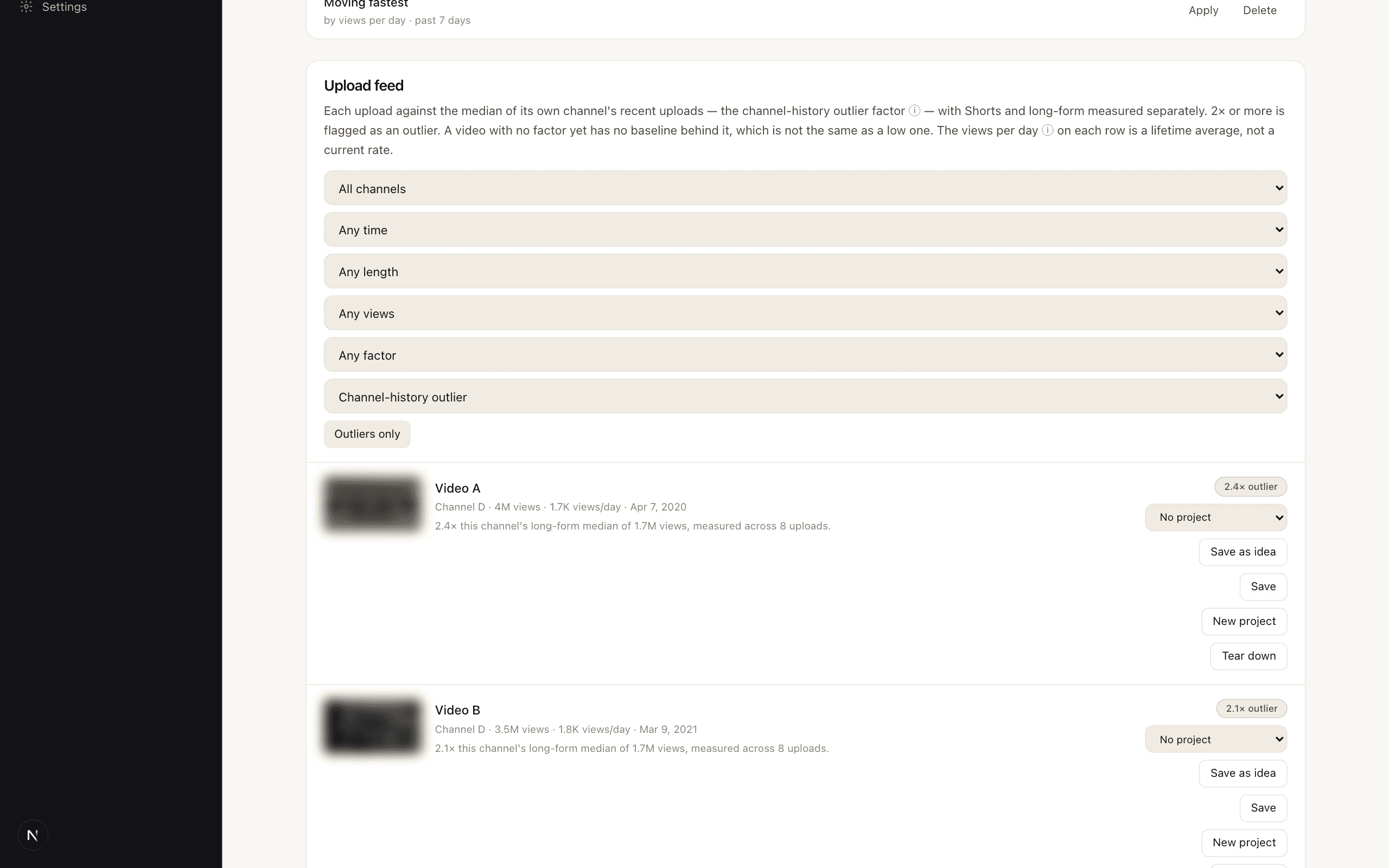
Track any public channel other than your own, on every plan, with the same daily refresh; the plans differ only in how many you can watch. The refresh reads recent uploads and flags the ones that beat that channel's own median, which is the most useful baseline for spotting something unusual on that channel. Shorts and long-form are measured separately whenever each has enough settled uploads of its own; when one format is too new to have a baseline, both fall back to a pooled median and every row says which baseline produced its number. Channels with too few settled uploads get no score at all, and say so. For your own channel, see Scoreboard below.
Video teardown
Read how a video is constructed, against how it actually did for its own channel. Measured statistics and interpretation are kept in separate panels, and every teardown ends with what it could not assess. It will not tell you why a video performed — nobody can.
Outlier explorer
Browse videos that beat their own channel's median, across everything this platform's research has already fetched. It is not a crawl of YouTube and not a live search: it holds only what somebody's keyword, top-video or niche research retrieved, on a rolling 30-day window, and the page prints how many videos and channels that is. Ask any row where it ranks inside its niche, or whether its performance looks like a topic other channels share or an effect of that one channel. Costs no credits and no quota, because the data was paid for once already.
Replication brief
Turn an outlier into a plan for your channel: the angle, the mechanism worth borrowing, title options, hook variants and a thumbnail direction, scoped to your own measured median rather than the source channel's. Then it checks its own output against the source for copied phrasing and flags anything that echoes it, because a tool that hands you a near-copy of someone else's video has not helped you.
Weekly digest
An email listing outliers newly flagged on your watchlist, up to 25, ranked by how far each beat its channel's median. It reads data the daily refresh already collected, so it costs no credits. A week with nothing new sends nothing.
Scoreboard
Which of your own uploads beat your own typical performance — measured exactly as the watchlist measures everybody else's, with the same median-of-recent-uploads baseline, the same Shorts and long-form split, and the same threshold, pointed at the one channel you can actually act on. An upload younger than the baseline maturity window is marked as still settling rather than scored. No API call is made beyond the channel sync you already ran, so it costs nothing.
Saved videos
Your own swipe file. Saving copies the numbers on screen at the moment you save — view count, outlier factor and which measurement produced it — and never rewrites them, on a duplicate save or otherwise: what made a video worth keeping in July is not what it settles at in September, and only the first was ever the reason. Costs nothing.
Search history
Every research search you've run — keyword, niche, top video and channel — listed with its filters and result count, so you can come back to one without retyping it. Result counts are what a search returned when you ran it, not what it would return now; a Run again button re-runs it and is charged the same as any new search, because a silent refresh against the cache would return a stale answer and look broken.
Planning
One object per video
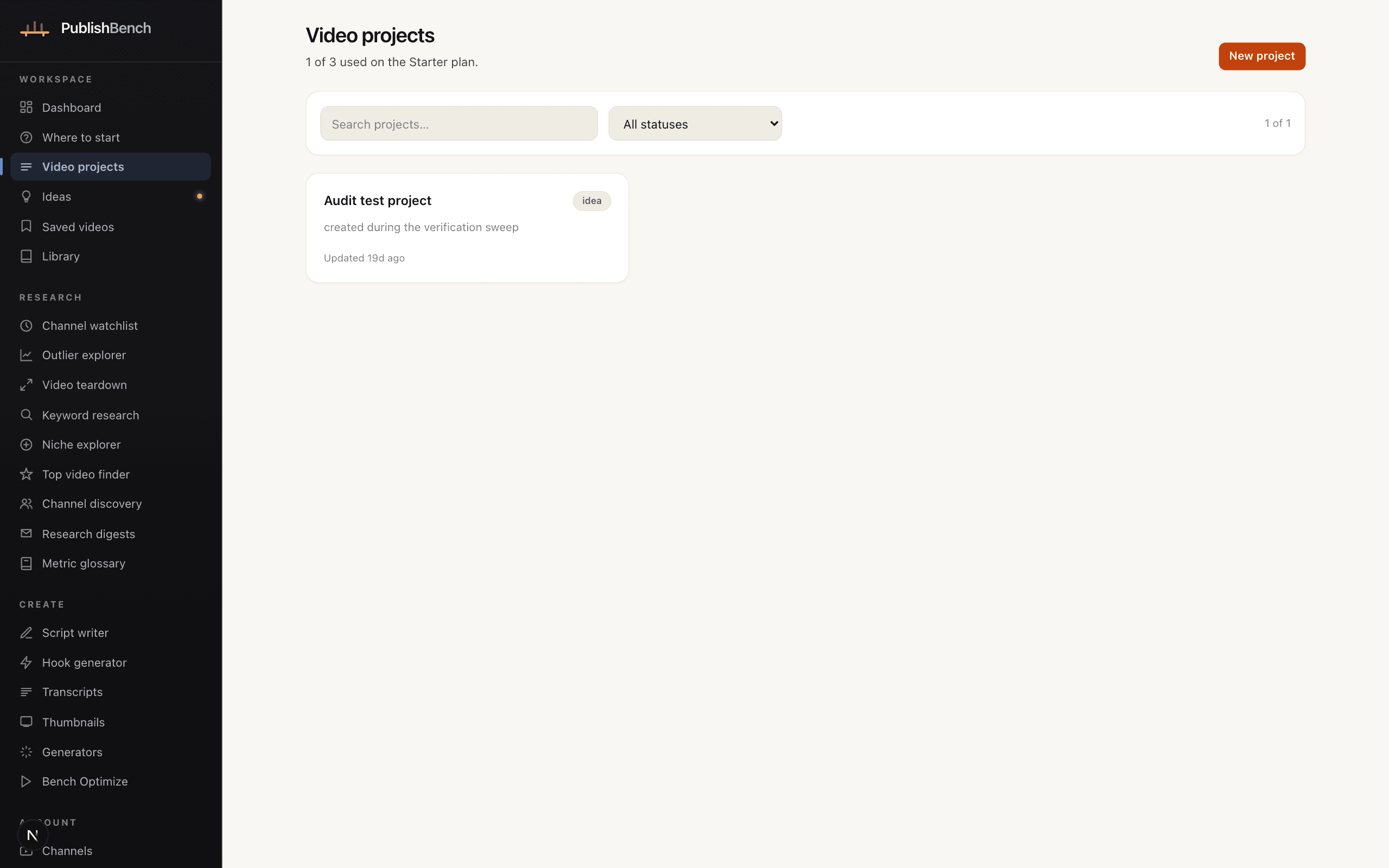
A project holds everything a video needs, so nothing ends up orphaned in a chat log.
Video projects
Status, priority, deadline, audience, notes — plus every script, transcript, thumbnail and generated result attached to that video, linked in both directions.
Ideas manager
Generate ideas in bulk or one at a time, then triage them on a Kanban board, in a filterable list, or on a calendar. Drag between columns, schedule them, and promote the good ones into projects with their angle, hook and outline intact.
Folders and search
Group ideas into folders and find anything you have ever made from one full-text search box.
Writing
A script editor, not a chat window
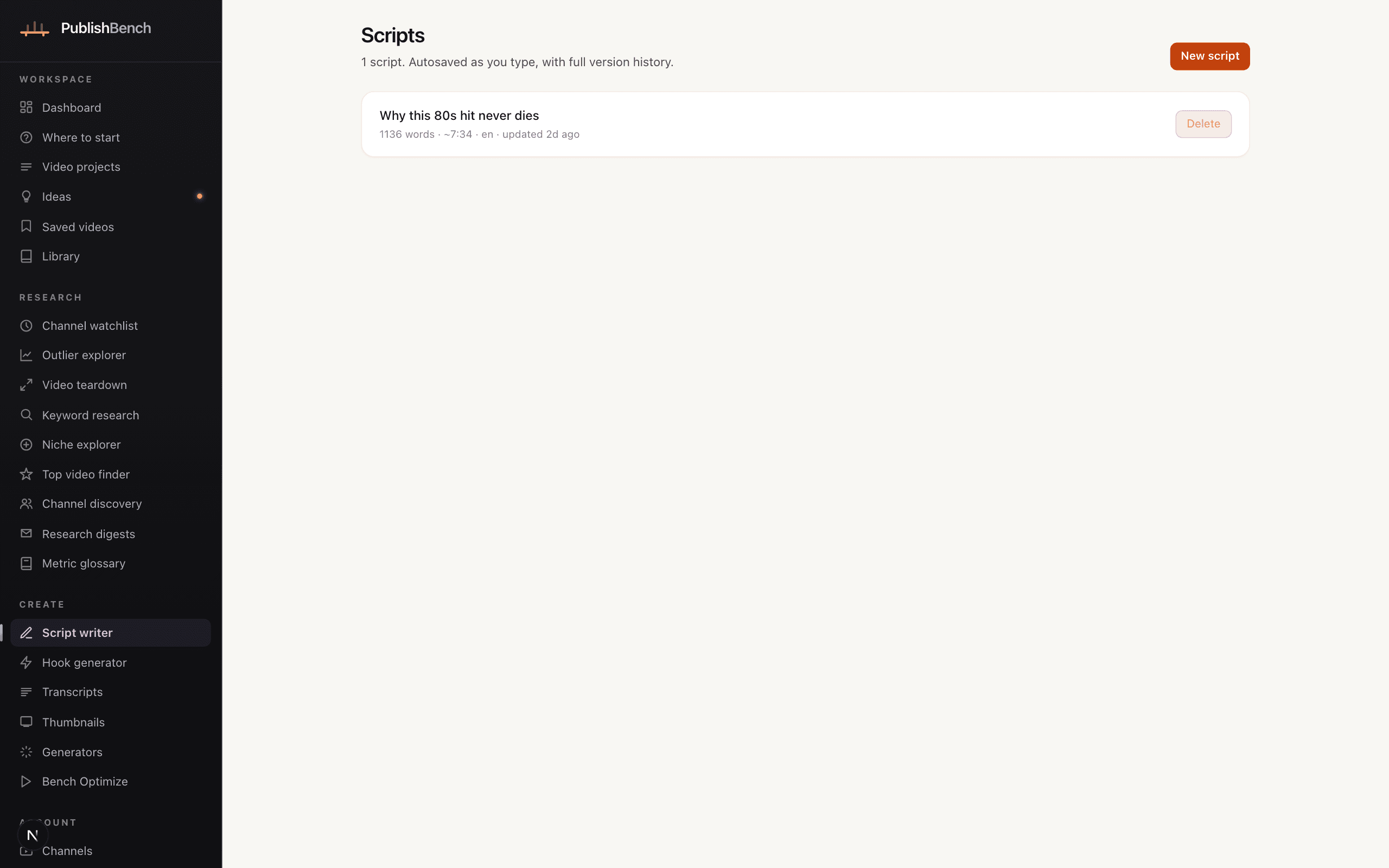
The draft arrives as editable sections you can restructure, not a wall of text you have to copy somewhere else.
AI Script Writer
Set topic, audience, tone, format, language and target duration. The draft comes back as typed sections — hook, intro, body, demo, transition, CTA, outro — that you can reorder, split, delete and rewrite individually.
Hook generator
Opening lines across named mechanisms — open loop, contradiction, stakes, demonstration, direct promise, specificity, question — each with a spoken-length estimate and an explanation of the mechanism at work. Saved to a reusable library. It will not rank them by predicted performance, because that is not knowable in advance.
Inline rewriting
Select any section, describe the change in a sentence, and replace it in place. The surrounding script goes along as context so the rewrite matches the voice.
Side-by-side chat
Ask questions about the draft you are looking at. The whole current version is sent with each question, so the answers are about your script rather than a generic one.
Autosave, versions and exports
Edits autosave; explicit snapshots create versions you can load back at any time. Live word count and speaking-time estimate at your own words-per-minute. Export as Markdown, plain text, a teleprompter script or JSON.
Article-to-script and video-to-script
Import an article URL, pasted text, or a video from a channel you have connected, and get an original script on the same subject with a source-similarity report. For any other public video, import its transcript on the Transcripts page first and write from that.
Originality check
Every repurposed script is measured against what it was built from: the proportion of overlapping phrasing, and the longest passage identical to the source. Both numbers are shown to you rather than kept behind a pass/fail. This is the job a plagiarism checker does — included, always on, and not priced separately.
Brand voice
Build a style guide from a channel you connected, or from writing samples you paste in yourself. The script writer follows it. There is no path that ingests a channel you do not own.
Publishing
Everything the upload page asks for
Thumbnails, metadata and a checklist of what is still missing.
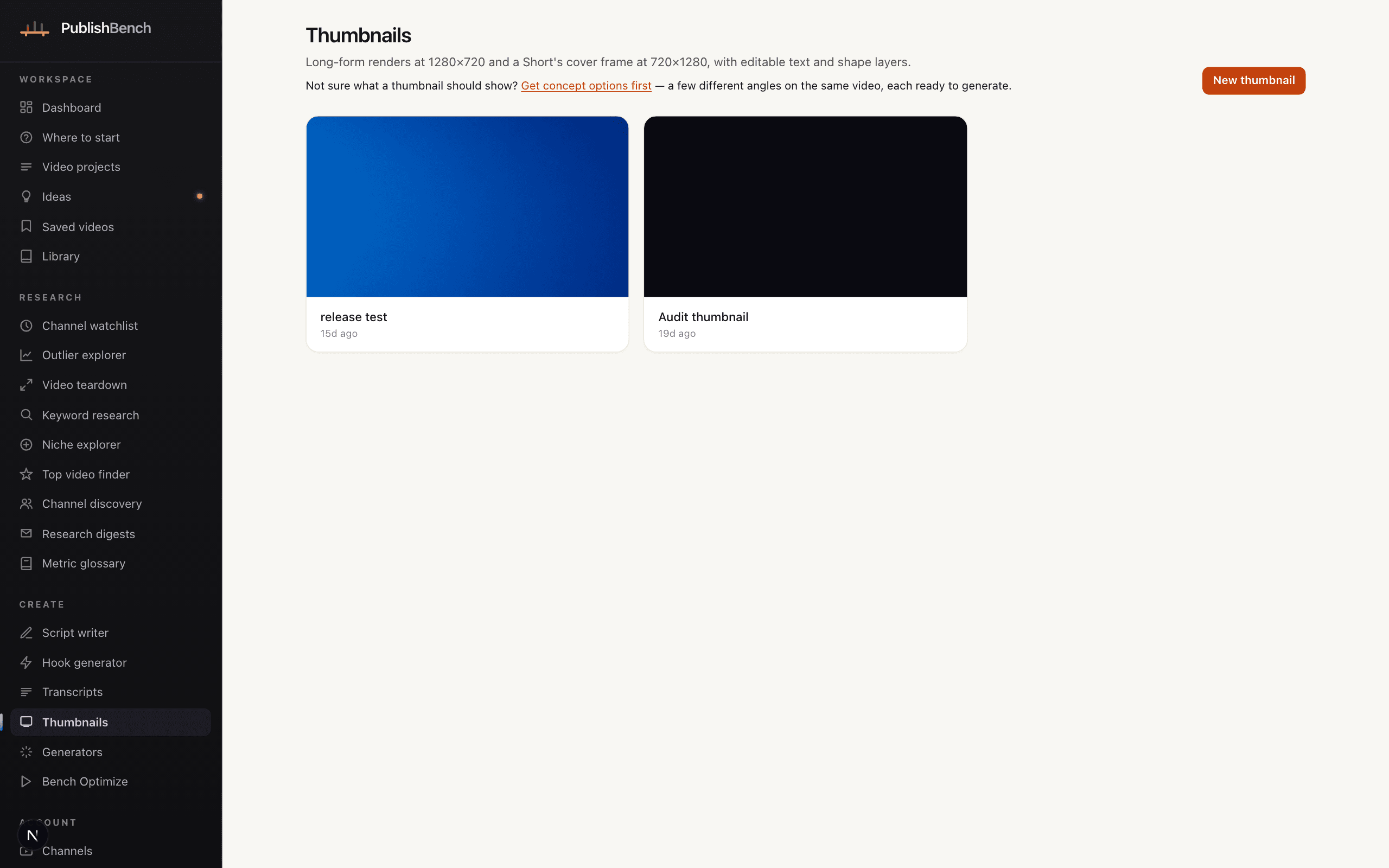
Thumbnail designer
Generate 16:9 backgrounds, upload your own image, or start blank. Add text and shape layers with full control over size, position, weight, colour, outline, rotation and shadow. Every render is exactly 1280×720 PNG, and every save keeps a version.
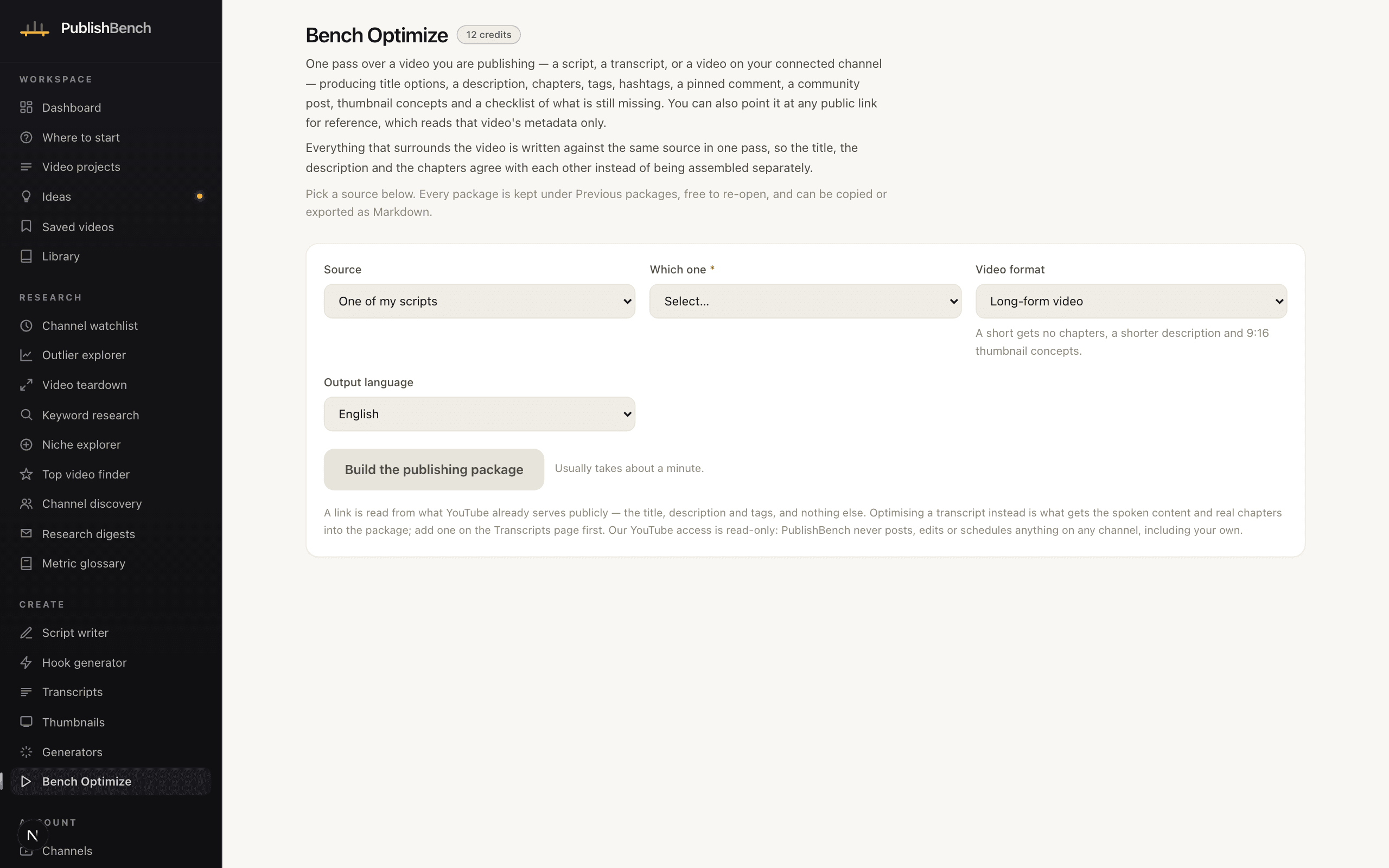
Bench Optimize
One pass over the video you are about to publish — a script, a transcript, or a video on a channel you have connected — produces title options, a description, chapters, tags, hashtags, a pinned comment, a community post, thumbnail concepts and a publishing checklist. It also takes any public YouTube link as a reference, but a link on its own is read from what YouTube already serves publicly: its title, description and tags, never the spoken content. Import the transcript to package what was actually said. When the source has no real timestamps, the chapters come back empty rather than invented, and our YouTube access is read-only so nothing is ever written to a channel.
Transcripts
Paste a YouTube URL and we pull the captions — your own videos, or any public video that has a caption track. No captions on the video? Upload the audio and we will transcribe it, paste SRT/VTT or plain text, or use the bookmarklet to send yourself the transcript panel from your own browser. Timestamped and paragraph views, in-transcript search, summaries and exports to SRT, VTT, timestamped text or JSON. Every transcript is labelled with exactly where its text came from.
Generators
The small stuff, done properly
Focused tools for the pieces around the video. Each shows its credit cost before it runs, and a failed run has its credits refunded automatically.
Title generator
2Title options under 70 characters, each with a one-line rationale naming the mechanism it uses.
Description generator
2A description whose first 120 characters stand alone, plus the body and any chapters or links you supply.
Chapter generator
6Chapter markers derived from a timed transcript. Only timestamps present in your data are used — none are invented.
Tag generator
1Tags mixing exact-topic terms, natural-language variants and one or two category terms.
Hashtag generator
1Hashtags for the description and community posts. No hashtag spam, no misleading tags.
Community post generator
2Posts that work on their own — a question, a poll premise, a behind-the-scenes note or a teaser.
Pinned comment generator
1A short pinned comment that adds something the video did not say, plus an easy question.
Channel name generator
2Pronounceable channel names under 25 characters with a matching handle. Availability must be checked on YouTube — we cannot verify it.
Thumbnail concept generator
4Concepts with a ready-to-use image brief and at most four words of overlay text. Feed one straight into the thumbnail generator.
Summariser
6A summary plus key points for any transcript or article text you paste in.
Translate
18Localises copy you already have into another language, preserving its structure, formatting and any timestamps.
Also included
The parts nobody puts on a feature list
16 output languages
Every generator and the script writer produce output in any of sixteen languages. A translate tool localises work you already have: a script, or a saved run of titles, description, chapters, tags, hashtags, posts, comments or summaries, opens with the text already in it. Other work — a hook, a teardown, a replication brief — is pasted in. One run reads 20,000 characters, so a long script goes in parts, and the translation comes back as text to copy rather than being written back over the original.
Credits you can audit
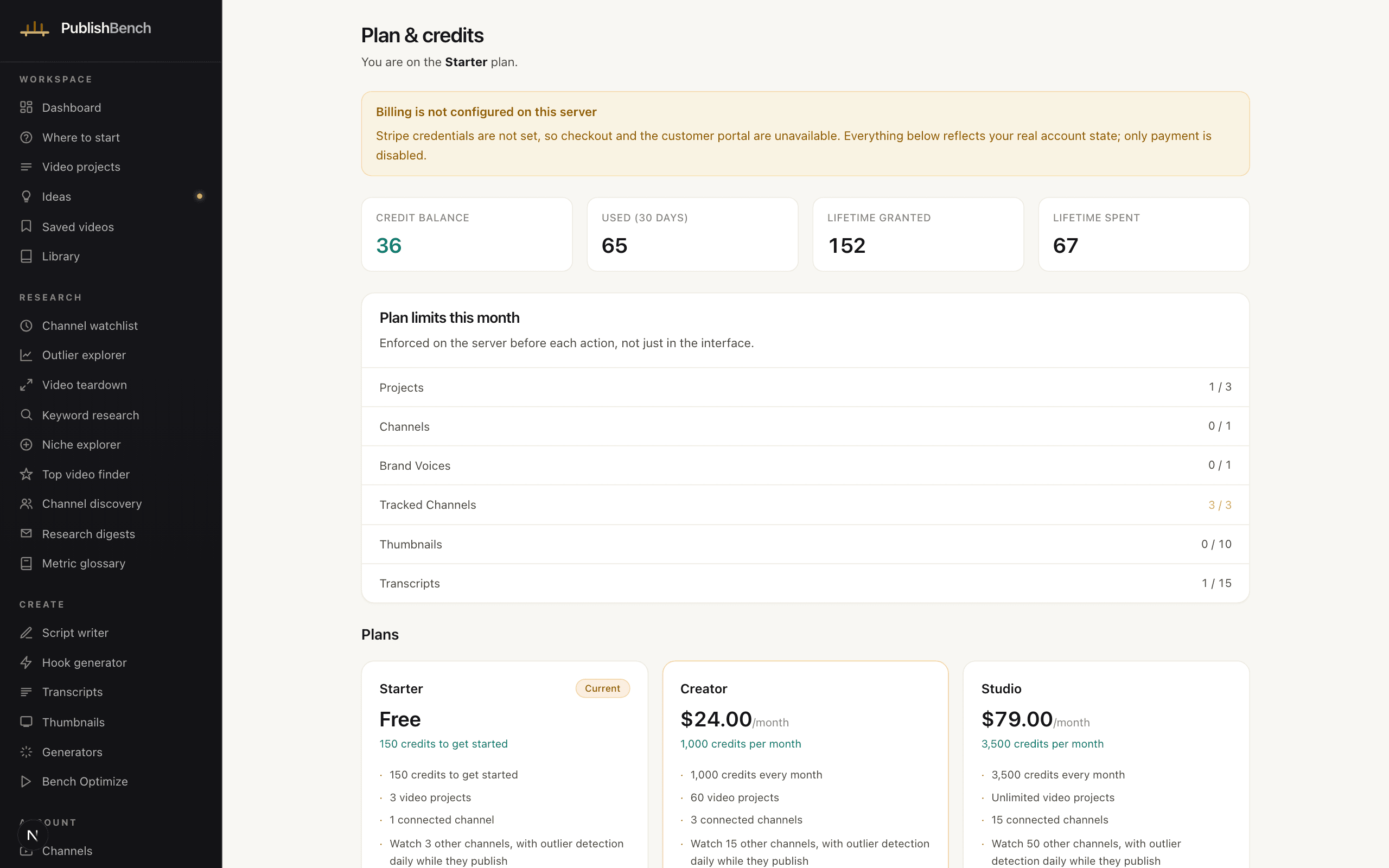
Every action shows its cost first. The ledger itemises every grant, charge and refund. Cached research is not charged at all.
Multi-channel support
Connect one channel on Starter, three on Creator and fifteen on Studio. Pick which one is active, sync on demand, and disconnect any of them — which revokes the grant at Google immediately.
Your data, exportable
One click downloads a JSON export of your workspace data — projects, ideas, scripts and every version, transcripts, thumbnails, generated results, channel records, folders, research history and your credit ledger. Uploaded files themselves are not bundled in the download. Account deletion is permanent and removes stored files too.